> For the complete documentation index, see [llms.txt](https://docs.altura.com/altura-documentation/llms.txt). Markdown versions of documentation pages are available by appending `.md` to page URLs; this page is available as [Markdown](https://docs.altura.com/altura-documentation/marketplace/getting-your-collections-verified.md).
# Getting Your Collections Verified
The Altura marketplace offers a unique feature where users can filter by verified and unverified collections. Verified collections offer users a higher level of trust and assurance that the collection contains useful and high-quality items.
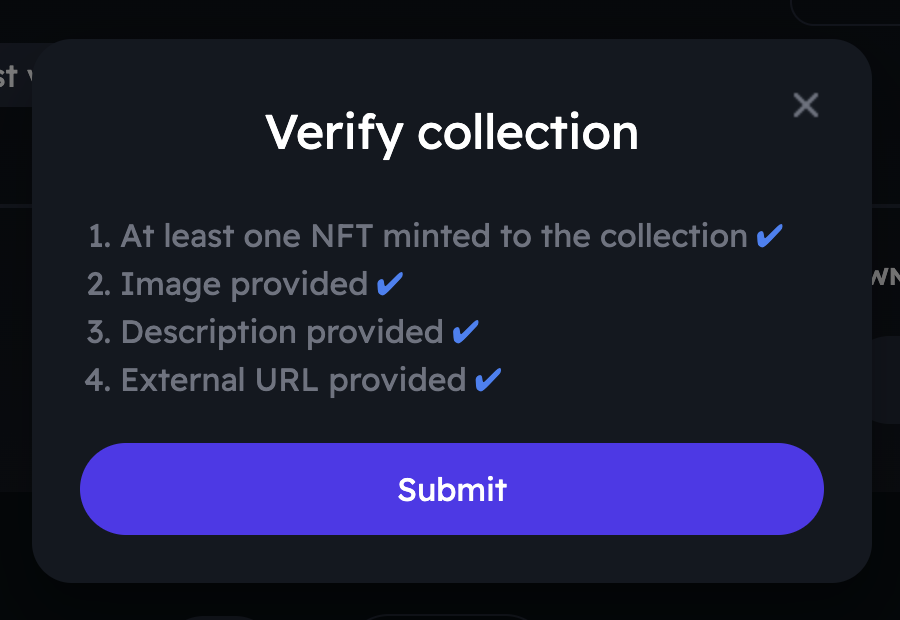
**A few requirements must be met to verify your collection on the Altura marketplace:**
1. The collection must contain at least one NFT.
2. The collection must have an image, description, and an external URL that provides more information about the collection or game.
It's important to note that developers should only request collection verification when they are ready for user consumption. The collection should demonstrate that it has some useful purpose for the game and is of high quality.
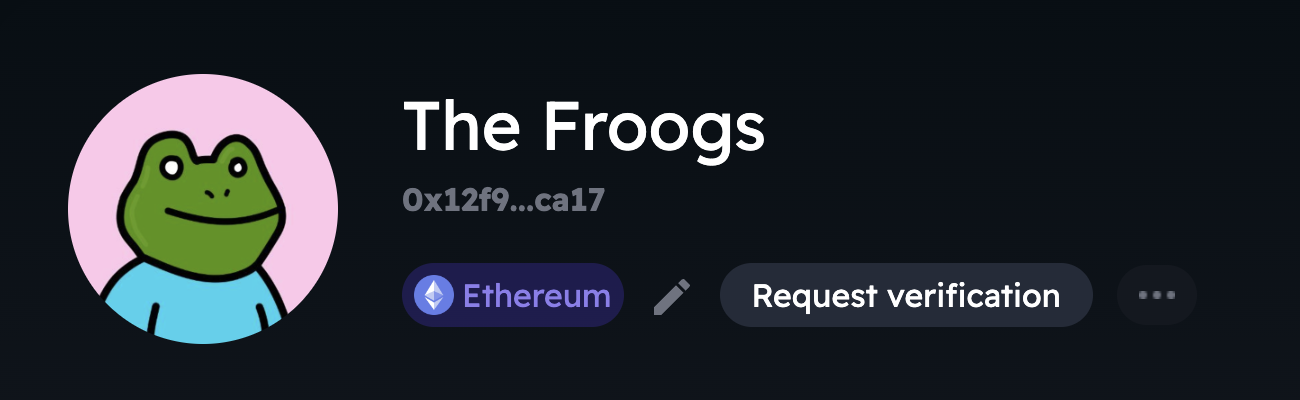
Request verification button in collection page
**Here's how to request verification:**
1. Mint your collection
2. Once the mint is complete. navigate to the collection's page.
3. Click on the "Request Verification" button.
4. The Altura team will review your collection, and you will receive an email within 72 hours with the results.
* If your collection is verified, you will receive an email confirming this.
* If it is not verified, you will receive an email explaining why.